Hindi Bengali Translator
Publisher Description


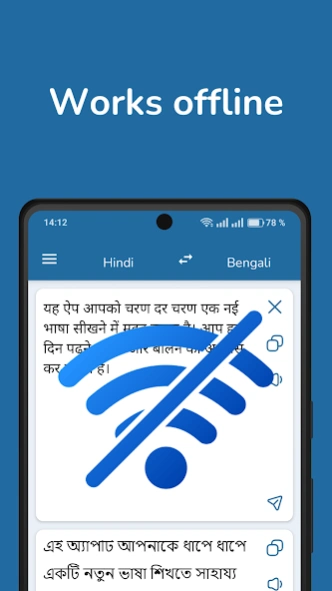

Translator from Hindi to Bengali, and from Bengali to Hindi
Hindi-Bengali Translator – Fast, Private, Offline. Now with Dark Mode!
Translate between Hindi and Bengali instantly with a fast, accurate, and secure translator app. Ideal for students, travelers, language learners, and professionals. Now with support for dark mode for comfortable use in low light.
Key features:
- Fast and accurate translations between Hindi and Bengali
- Offline translation mode – no internet required
- Translate text from photos and images (OCR)
- Speech recognition
- Voice input and pronunciation for natural conversations
- Dark mode for reduced eye strain at night
- Clean and simple interface for easy use
- Private and secure – no translation history is saved
- Bengali-Hindi dictionary
This app uses advanced AI to understand the context and nuances of both Hindi and Bengali, helping you translate full sentences, documents, or casual speech with ease.
Whether you're learning Bengali or Hindi, traveling abroad, or working internationally, this translator app is your essential language tool.
Download now and communicate freely with one of the fastest and reliable Hindi-Bengali translators on Android.
About Hindi Bengali Translator
The company that develops Hindi Bengali Translator is Pro Languages. The latest version released by its developer is 1.0 . This app was rated by 1 users of our site and has an average rating of 3.0.
To install Hindi Bengali Translator on your Android device, just click the green Continue To App button above to start the installation process. The app is listed on our website since 2026-10-09 and was downloaded 12 times. We have already checked if the download link is safe, however for your own protection we recommend that you scan the downloaded app with your antivirus. Your antivirus may detect the Hindi Bengali Translator as malware as malware if the download link to com.vertaler.hibn is broken.
How to install Hindi Bengali Translator on your Android device:
- Click on the Continue To App button on our website. This will redirect you to Google Play.
- Once the Hindi Bengali Translator is shown in the Google Play listing of your Android device, you can start its download and installation. Tap on the Install button located below the search bar and to the right of the app icon.
- A pop-up window with the permissions required by Hindi Bengali Translator will be shown. Click on Accept to continue the process.
- Hindi Bengali Translator will be downloaded onto your device, displaying a progress. Once the download completes, the installation will start and you'll get a notification after the installation is finished.
Program Details
System requirements
Download information
Pricing
Version History
version
posted on 2026-10-09
version 5.0.2
posted on 2025-06-15
- Dark mode
version 4.0.0
posted on 2024-12-28
- Translation without internet
- Recognition and translation of photos and pictures
version 3.4.8
posted on 2024-12-05
- Android 15 support
version 3.4.7
posted on 2024-11-16
- Bugfix
version 3.4.0
posted on 2023-09-26
- Android 14 support
version 3.3.5
posted on 2022-06-04
- New Icons
version 2.5.2
posted on 2019-12-22
- Round launcher icon
- Settings screen
- Ability to change audio playback speed
